

Looking for powerful software without spending money? You’re not alone. Many users are switching to open-source apps because they offer premium-level features, zero subscriptions, and complete freedom. In fact, some of the best open-source tools outperform expensive paid software in performance, flexibility, and reliability.
Here are 4 of the best open-source apps that are better than their paid rivals:
1. VLC Media Player
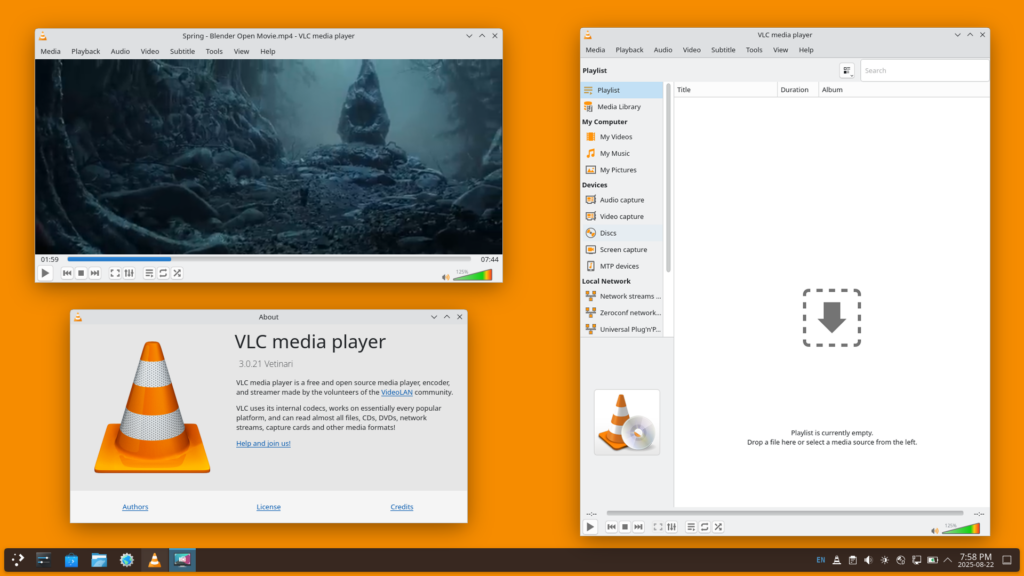
Best alternative to paid media players
If you’ve ever struggled with video formats or missing codecs, VLC is your solution. This lightweight yet powerful player supports nearly every audio and video format out of the box.
Why it beats paid options:
- No need for extra codecs or plugins
- Completely ad-free and privacy-friendly
- Advanced features like streaming, subtitle sync, and filters
- Works smoothly even on older PCs
Many paid media players lock features behind subscriptions, while VLC gives you everything for free.
2. GIMP

Best alternative to Adobe Photoshop
GIMP (GNU Image Manipulation Program) is a professional-grade image editor that rivals expensive tools like Photoshop.
Why it stands out:
- Advanced editing tools (layers, masks, brushes)
- Highly customizable with plugins
- Supports most major file formats
- Active community and frequent updates
For designers and casual users alike, GIMP delivers powerful editing without monthly fees.
3. Blender
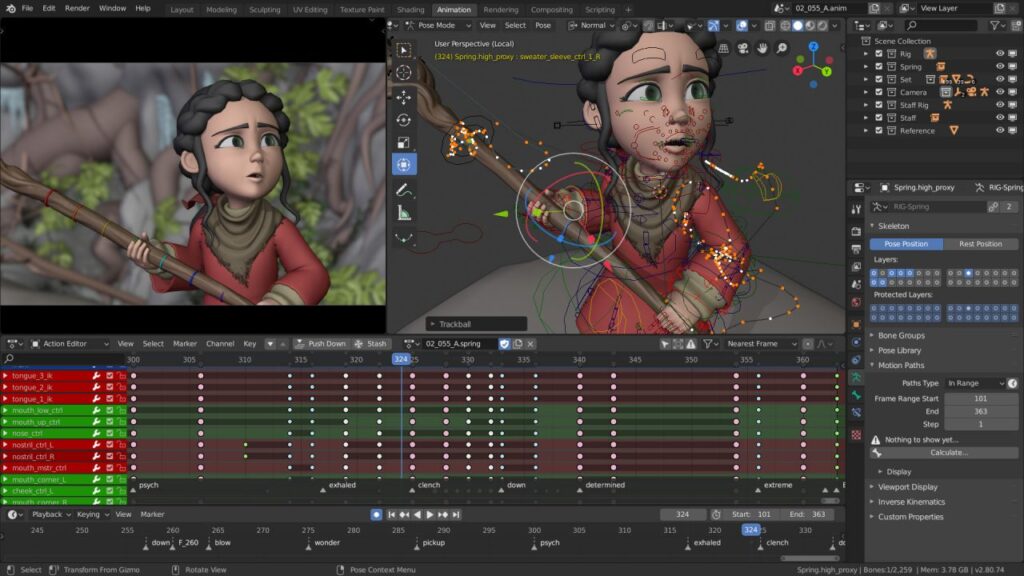
Best alternative to paid 3D software
Blender is a powerhouse for 3D modeling, animation, rendering, and even video editing. It’s used by professionals and studios worldwide.
Why it outperforms paid competitors:
- Completely free with no limitations
- Advanced rendering engine (Cycles & Eevee)
- Supports animation, VFX, and game asset creation
- Huge community and learning resources
Many premium 3D tools cost hundreds per year, while Blender delivers industry-level capabilities for free.
4. Kodi
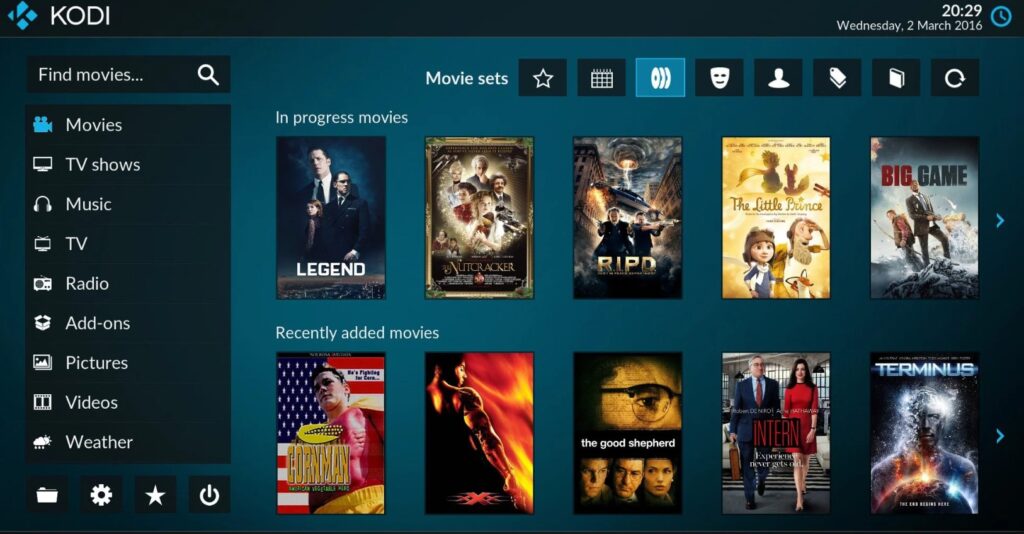
Best media center experience
Kodi transforms your PC into a full media center, perfect for movies, TV shows, and streaming.
Why it beats paid media centers:
- Beautiful interface with addons
- Organizes large media libraries
- Supports streaming and local content







