

Git is packed with powerful commands, yet most developers use only a small portion of what it offers. Commands like git clone, git commit, git push, and git pull become part of every developer’s daily workflow, while many equally valuable tools remain largely overlooked.
Learning one lesser-known Git command can dramatically improve how you recover mistakes, investigate code history, or manage your projects. Among these hidden gems, git reflog stands out as one of the most useful commands that many developers don’t discover until they’ve already lost work.
What Is Git Reflog?
Every action you perform in Git leaves behind a trail.
The git reflog command records updates to your local repository’s HEAD reference, allowing you to see where branches and commits have been—even if those commits no longer appear in the normal history. Unlike git log, which focuses on commit history, git reflog tracks your local movements and can help recover work that seems lost.
Why Developers Overlook It
Many Git tutorials focus on the basic workflow:
- Clone a repository
- Create a branch
- Commit changes
- Push to GitHub
- Merge pull requests
While these commands are essential, they don’t prepare developers for situations where something goes wrong.
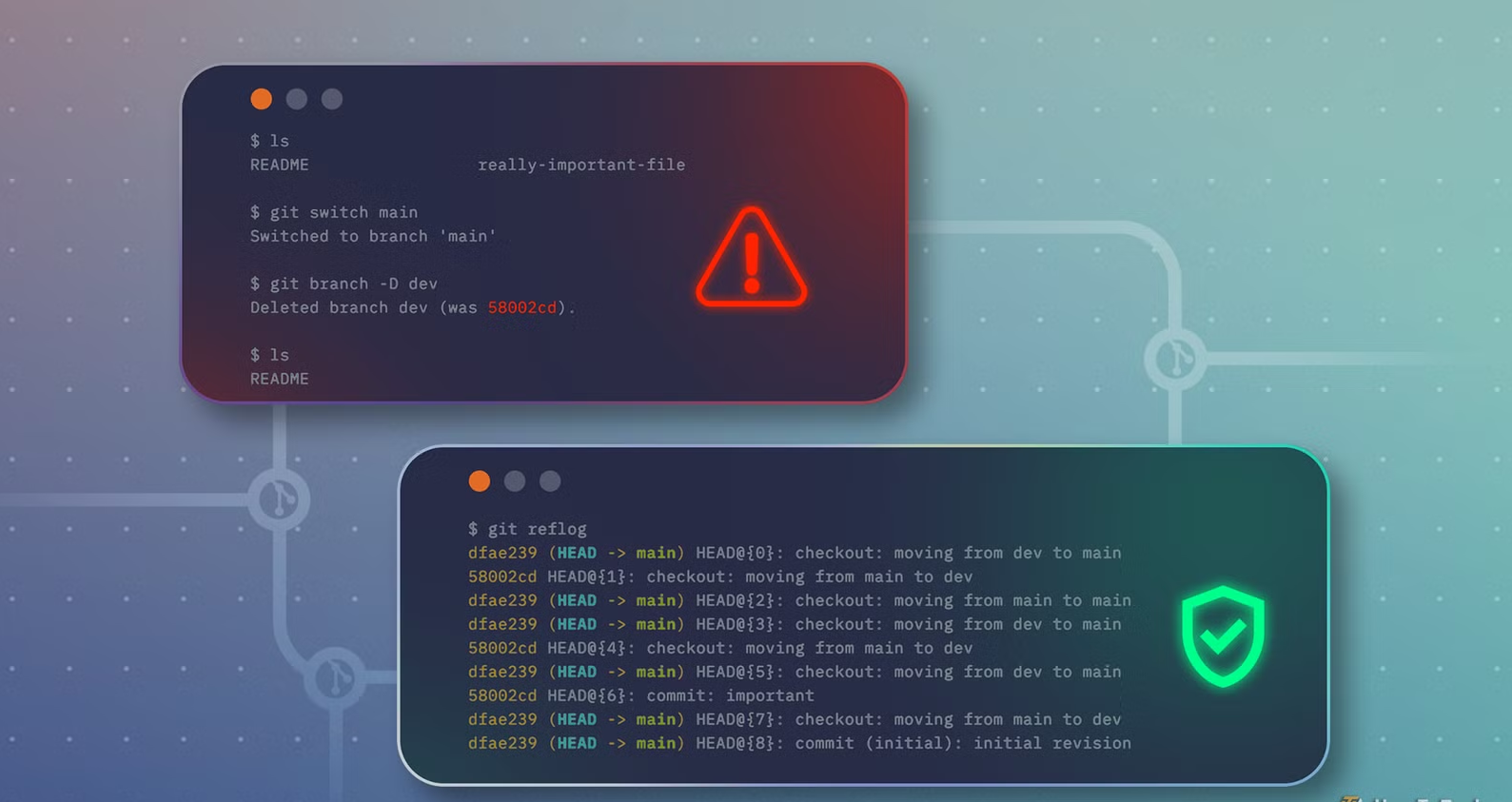
Accidentally deleting a branch, resetting commits, or checking out the wrong commit can make it seem like your work has disappeared. That’s when git reflog becomes invaluable.
Recovering Lost Commits
Imagine you accidentally run a reset command or delete a branch containing unfinished work.
Instead of assuming everything is gone, you can display your recent Git activity:
git reflogThe output lists previous HEAD positions along with commit identifiers.
From there, you can restore a previous state using commands such as:
git checkout <commit-hash>or create a new branch from that commit.
Because reflog entries are stored locally, they often provide a second chance to recover changes that aren’t visible through the normal commit history.
When Git Reflog Is Most Useful
This command is particularly valuable when:
- You accidentally reset a branch.
- A commit seems to disappear.
- You need to recover deleted work.
- You want to revisit a previous branch state.
- You’re experimenting with Git history.
Many experienced developers consider it one of the first commands they use when troubleshooting repository mistakes.
Other Helpful Git Commands
While git reflog is extremely useful, it’s worth learning several other commands that improve productivity.
Git Bisect
git bisect performs a binary search through your commit history to help identify exactly which commit introduced a bug.
Instead of manually checking dozens of commits, Git narrows the search automatically, saving valuable debugging time.
Git Stash
Sometimes you need to switch tasks without committing unfinished work.
git stash temporarily stores your local changes, allowing you to return to a clean working directory. When you’re ready, you can restore those changes with a simple command.
Git Blame
When investigating existing code, git blame shows which commit last modified each line of a file.
This makes it easier to understand why changes were made and identify the appropriate commit for further investigation.
Practice Before You Need It
Many developers only discover advanced Git commands after something goes wrong.
Instead of waiting for a problem, create a small test repository and experiment with commands like git reflog, git stash, and git bisect. Practicing in a safe environment helps build confidence and reduces the risk of mistakes in important projects.
Learn Git Beyond the Basics
Mastering Git isn’t about memorizing dozens of commands.
Understanding a few advanced tools can make everyday development smoother and help you recover quickly when unexpected problems occur.
Whether you’re building personal projects or collaborating with a team, learning commands beyond the standard workflow can save hours of frustration and make version control far less intimidating.