

DOS may be decades old, but parts of it still live on in modern versions of Windows. Even though Microsoft moved far beyond the old command-line operating system, several DOS-era features remain built into Windows 10 and Windows 11.
Some of these are easy to spot, like the C: drive and Command Prompt commands. Others work quietly in the background, such as file naming rules and legacy disk tools. Here are six ways Windows still relies on DOS features today.
1. Drive letters still start at C
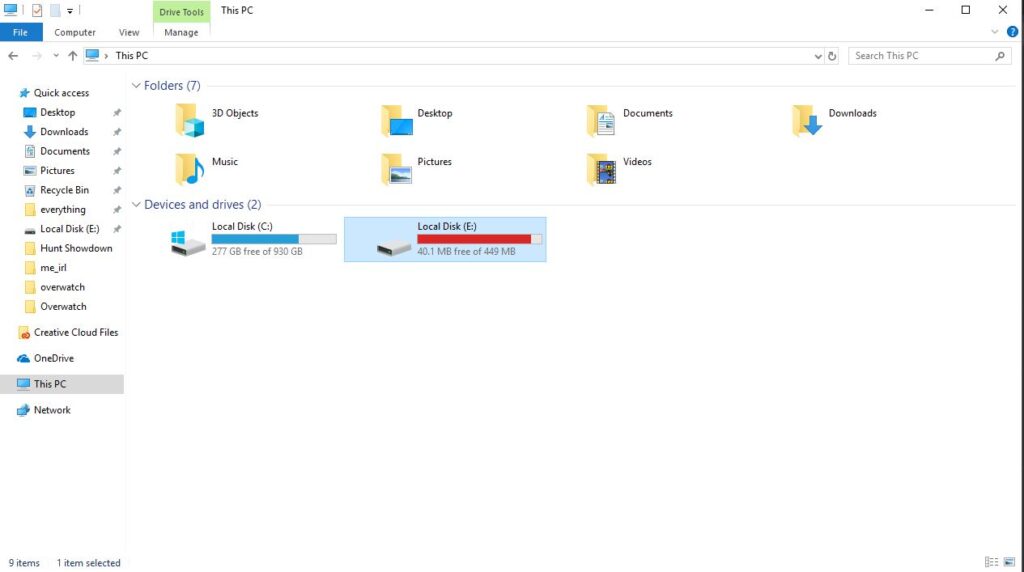
One of the oldest DOS leftovers in Windows is the way drives are labeled. In File Explorer, your main storage drive is usually called C:, while other drives may appear as D:, E:, and so on.
That setup goes back to the days when computers used floppy drives as standard hardware. The letters A: and B: were reserved for floppy disk drives, so the first hard drive was assigned C: instead.
Even though floppy drives are now basically obsolete, Windows still follows the same convention. Technically, it is possible to change drive letters in some situations, but changing the system drive from C: is not practical. Too many Windows services, apps, and system paths still expect the operating system to be installed there.
2. Command Prompt still uses classic DOS commands
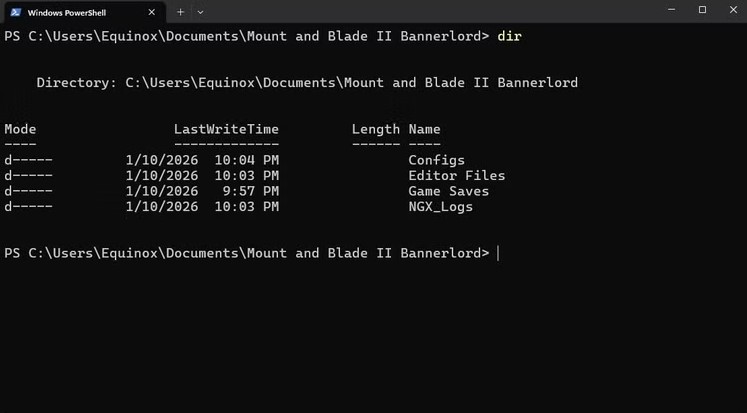
DOS was built around a command-line interface, and that legacy still survives in Command Prompt. While modern Windows also includes PowerShell and Windows Terminal, many classic DOS commands still work exactly as they did years ago.
Some of the most common examples include:
- dir for listing files and folders
- cd for changing directories
- copy for copying files
- del for deleting files
- ren for renaming files
- cls for clearing the screen
These commands may look old-school, but they are still useful for troubleshooting, simple file operations, and scripts. Anyone who spends time in Command Prompt will still run into DOS syntax on a regular basis.
3. Batch files are still around
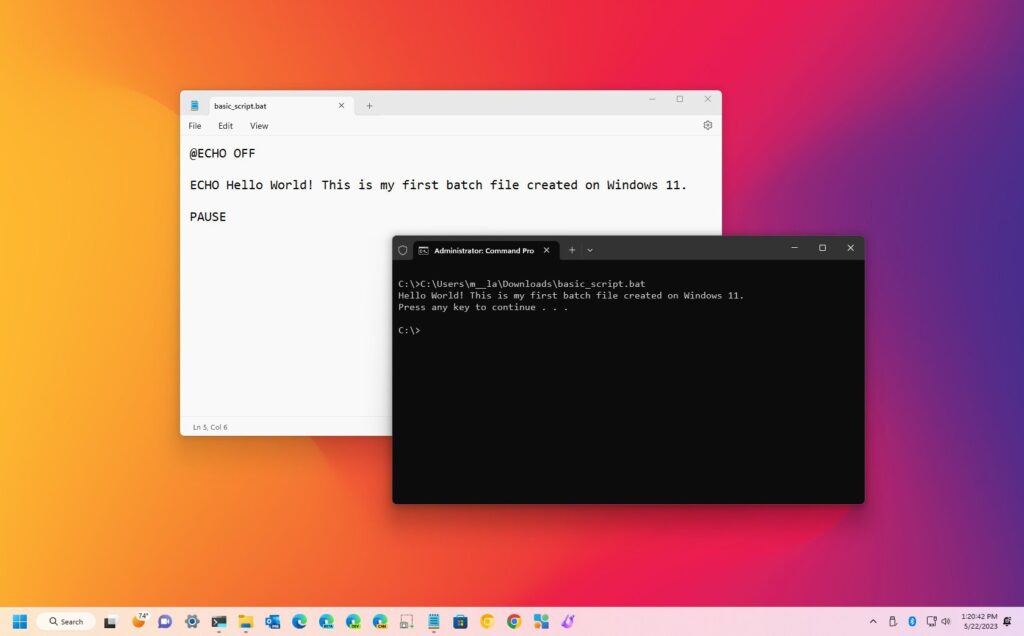
Batch files are another DOS feature that never really disappeared. A batch file stores a series of commands in a plain text file, letting Windows run them automatically in sequence.
That makes them useful for repetitive tasks, such as launching several apps at once, renaming groups of files, deleting temporary files, or automating small maintenance jobs.
PowerShell scripts are more modern and more powerful, but batch files remain popular because they are simple and lightweight. For basic automation, many Windows users still prefer .bat files because they are fast to create and easy to understand.
4. FAT file systems are still widely used
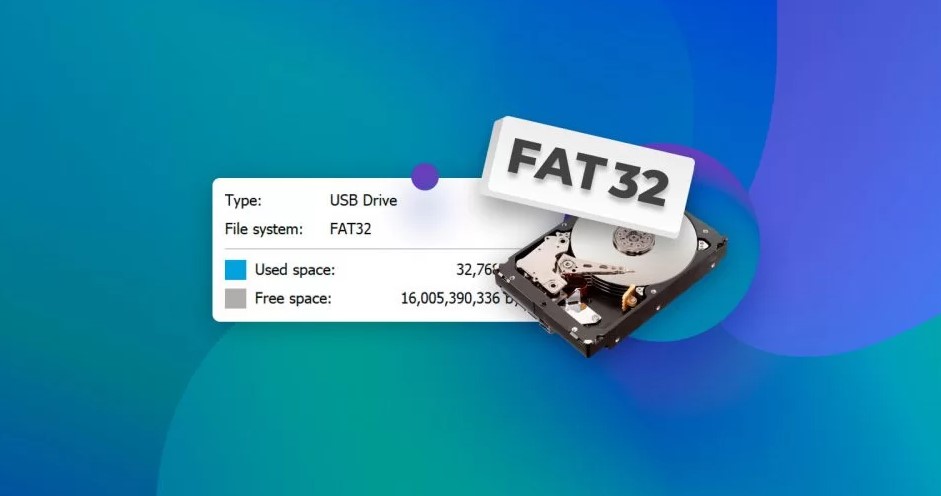
The FAT file system started in the DOS era, yet it still matters today. While modern internal drives usually use NTFS or exFAT, FAT-based formats remain common, especially on removable storage.
For example, many USB flash drives still use FAT32 because it works with a huge range of devices, including Windows PCs, Macs, game consoles, smart TVs, and other electronics.
Its biggest limitation is the maximum file size. FAT32 cannot store a single file larger than 4GB, which can be a problem for large video files, games, or backups. Even so, its broad compatibility keeps it relevant decades after DOS first introduced FAT.
5. Windows still supports DOS-style 8.3 file names
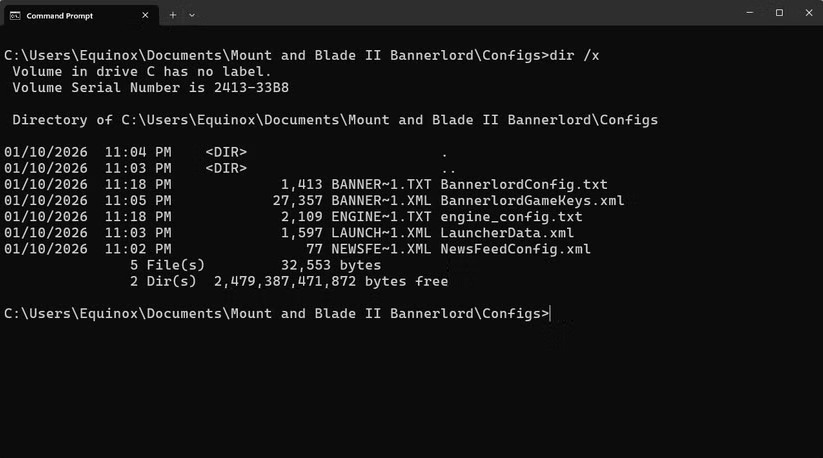
Modern Windows supports long file names, but it still keeps compatibility with the older 8.3 naming format created for DOS.
Under that system, file names were limited to eight characters, followed by a three-character extension. Even though you normally do not see these shortened names in File Explorer, Windows can still generate them in the background for compatibility reasons.
You can even view them in Command Prompt by opening a folder and running:
dir /x
This will show the shortened DOS-style names alongside normal file names. It is one of those hidden compatibility features most people never notice, but it is still there.
6. Old DOS utilities are still part of Windows
Several built-in Windows utilities trace their roots directly back to DOS. One of the best-known examples is CHKDSK, which scans a drive for file system errors and can help repair storage problems.
Other long-running tools include:
- ping to test whether a network device or website responds
- tracert to show the path data takes across a network
- tree to display folder structures
- ipconfig to show and manage network details
These tools may not look modern, but they are still genuinely useful. In many cases, they remain some of the quickest ways to diagnose problems in Windows.
DOS still matters because Windows values compatibility
A big reason these DOS features still exist is Microsoft’s long-standing focus on backward compatibility. Windows has changed massively over the years, but Microsoft has usually tried to keep older tools, commands, and behaviors working for as long as possible.
That is why Windows 11 can still use command syntax, utility tools, and file system behavior that date back decades. Some of it is there for compatibility with older software, and some of it remains because it is still practical.
DOS may be gone as an operating system, but its influence is still everywhere in Windows. From the C: drive to batch scripts and legacy utilities, a surprising amount of the old DOS world continues to power parts of the modern PC experience.







