

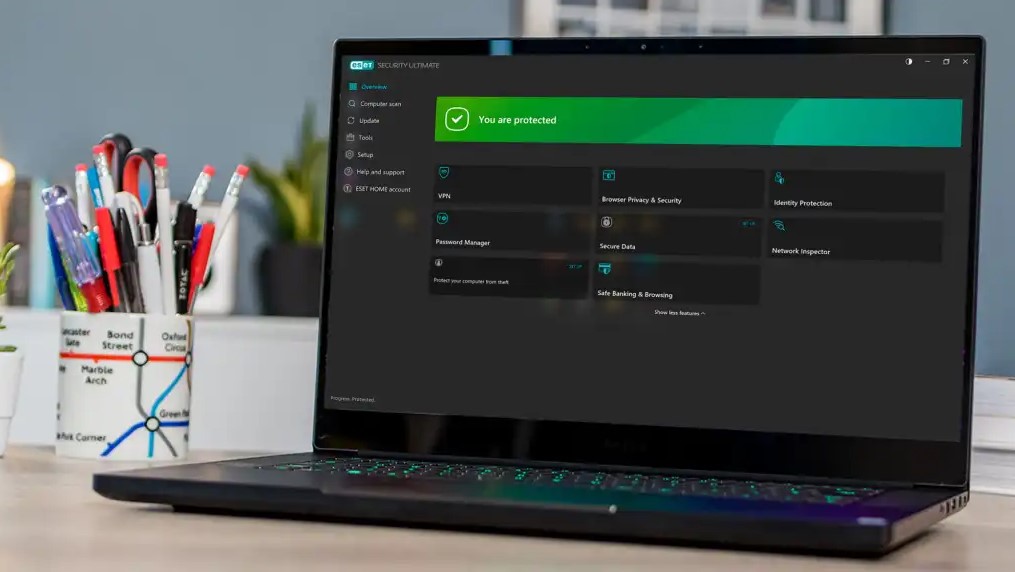
Protecting your device from viruses, ransomware, phishing attacks, and other online threats is essential in today’s digital world. With ESET NOD32 Antivirus and other ESET security solutions, you can secure your computer quickly and efficiently using advanced real-time protection technology.
This comprehensive guide will walk you through the ESET download, installation, and activation process, ensuring your system is fully protected within minutes.
Step 1: Download ESET Security Software
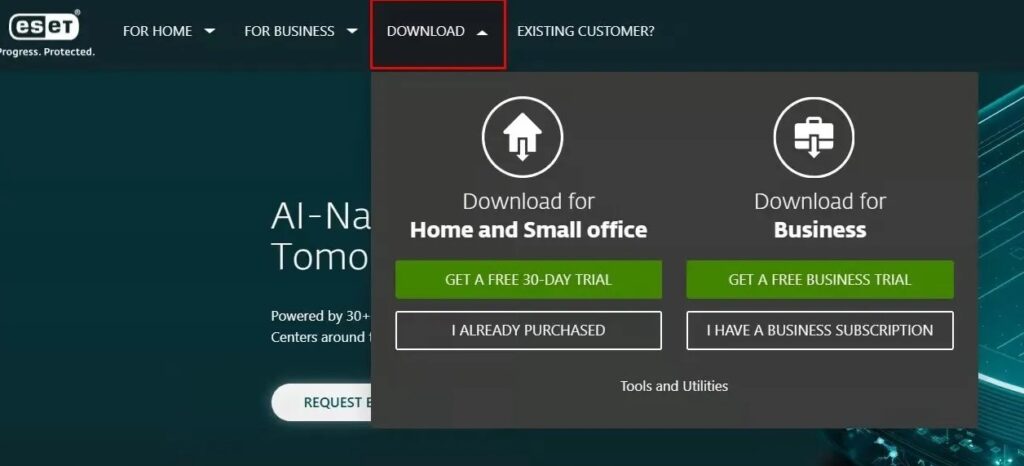
To begin protecting your device, first download the official ESET installer:
- Visit the official ESET website.
- Navigate to the Download section.
- Choose the ESET product version that best fits your needs (such as antivirus or internet security).
- Click the Download button to save the installer file to your computer.
Step 2: Install ESET on Your Device
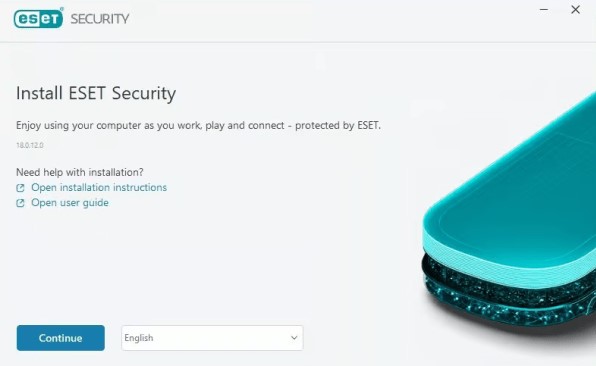
Once the installer file has been downloaded, follow these steps to complete the installation:
- Locate the downloaded setup file (usually in your Downloads folder).
- Double-click the installer to launch the setup wizard.
- If prompted by User Account Control (UAC), click Yes to allow changes.
- Follow the on-screen instructions to:
- Accept the license agreement
- Choose installation preferences
- Enable detection of potentially unwanted applications (recommended)
- Wait for the installation process to complete.
The setup wizard will automatically configure essential protection features, including:
- Real-time malware protection
- Anti-phishing protection
- Ransomware shield
- Automatic updates
Once installation is finished, ESET will be ready for activation.
Step 3: Activate Your ESET License
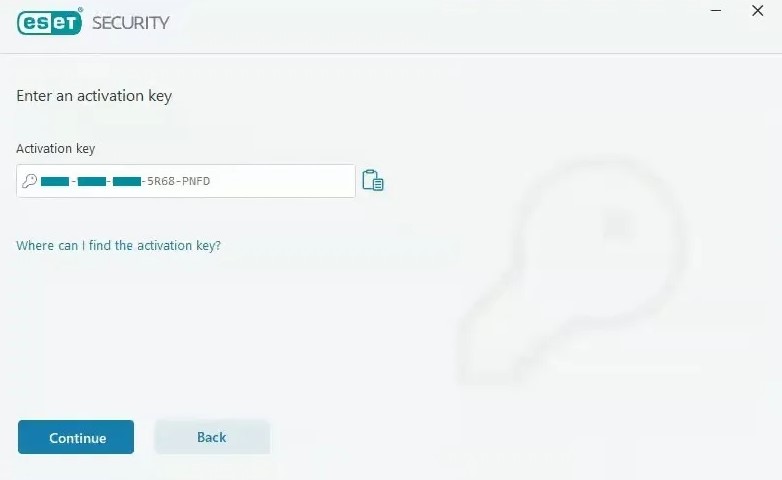
To unlock full protection and receive automatic updates, you must activate your product:
- Open the ESET application.
- Click on Activate Product (or navigate to the Help & Support section).
- Enter the license key you received via email after purchase.
- Click Activate.
- Follow any additional on-screen prompts to complete activation.
After successful activation, your ESET antivirus will:
- Update virus signature databases automatically
- Enable full real-time protection
- Provide continuous system monitoring
- Protect against online and offline threats
Your Device Is Now Protected
Once activated, your ESET security software will begin protecting your system immediately. You can verify your protection status directly from the main dashboard, where you’ll see confirmation that your device is secure.
For maximum security, make sure to:
- Keep automatic updates enabled
- Run regular system scans
- Avoid downloading files from untrusted sources
- Keep your operating system updated







