

Microsoft has a long track record of launching bold ideas, then retiring them when they no longer fit its direction. Over time, this pattern has created a long list of discontinued apps, tools, and platforms that once showed real promise.
These decisions have shaped how Windows evolves, but they have also left users searching for replacements when familiar features suddenly vanish. Some of these tools were simple and efficient, while others were ahead of their time but never reached their full potential.
Here are several Microsoft apps and features that have recently been discontinued, even though many users still found them useful.
WordPad

WordPad has officially been retired after being part of Windows for nearly 30 years. First introduced in 1995 alongside Windows 95, it replaced Microsoft Write and quickly became a reliable middle-ground editor.
It offered more functionality than Notepad while staying far lighter and easier to use than Microsoft Word. For quick writing tasks, basic formatting, or simple document editing, it was often the perfect choice.
One of WordPad’s biggest strengths was its simplicity. It launched instantly, used very little system power, and gave users just enough tools without overwhelming them. This made it especially valuable on older systems or for distraction-free writing.
Microsoft now recommends alternatives like Word or Notepad, but many users feel neither truly replaces what WordPad offered. Over time, as Windows evolved, the app lost its original purpose and eventually became outdated in Microsoft’s eyes.
Windows Mixed Reality
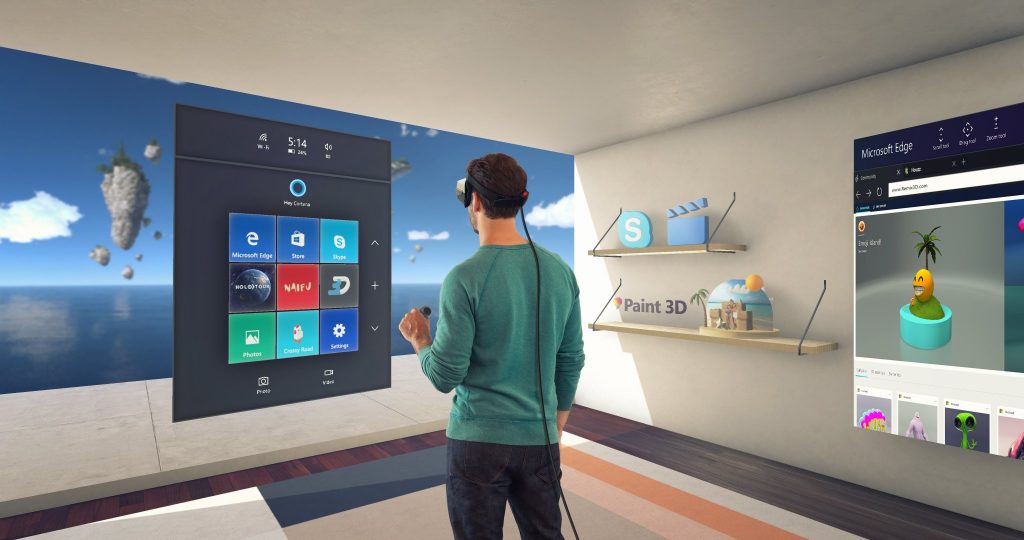
Windows Mixed Reality, often referred to as WMR, has officially reached the end of its lifecycle. Microsoft announced its deprecation in late 2023, with full removal tied to Windows 11 version 24H2.
This change means that headsets built specifically for the WMR platform will gradually stop working as systems update. Without the core software, including the Mixed Reality Portal, the hardware loses its functionality.
When it launched in 2017, WMR introduced a more accessible approach to virtual reality. It used inside-out tracking, allowing headsets to function without external sensors or base stations. This made setup much easier compared to competing systems at the time.
Several major manufacturers, including HP, Lenovo, Dell, Acer, and Samsung, released devices for the platform. Many of these headsets offered high-resolution displays and a strong overall experience.
Despite its technical advantages, the platform struggled to gain long-term traction. Microsoft has now shifted its focus away from VR and toward artificial intelligence technologies.
Cortana

Cortana, Microsoft’s voice assistant, has been officially phased out as a standalone app and replaced by newer AI tools such as Copilot.
It first launched in 2014 with Windows Phone 8.1 and later became a built-in feature of Windows 10. Cortana was designed to compete with other digital assistants, but it stood out by offering a more human and conversational experience.
The assistant was inspired by the AI character from the Halo series and voiced by the same actress. It could respond with humor, tell jokes, sing songs, and even handle fun or unusual requests.
In terms of functionality, Cortana could scan emails for flight details, track packages, remind users about appointments, and provide alerts based on traffic conditions. It aimed to act as a smart personal assistant rather than just a command tool.
Even with these features, it never became essential for most users. As Microsoft moved toward more advanced AI systems, Cortana gradually lost its place in the ecosystem.
Steps Recorder
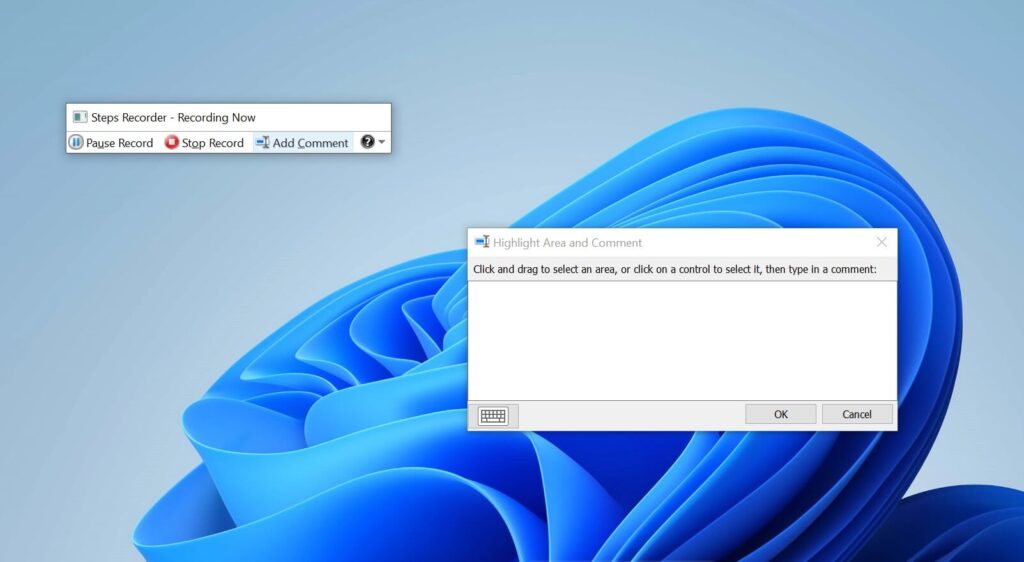
Steps Recorder was a lesser-known Windows tool that proved extremely useful, especially for troubleshooting and technical support.
It allowed users to record their actions step by step while using their computer. Each click, input, and interaction was captured along with screenshots and detailed descriptions.
This made it much easier to report issues. Instead of explaining a problem in words, users could simply record it and share the file. The tool also included an option to add comments, helping highlight specific areas on the screen.
Once the recording was complete, everything was saved in a compressed file containing a structured document. This file included numbered steps, screenshots, and system information such as the Windows version and active applications.
For IT professionals, this format was far more efficient than reviewing long video recordings. Microsoft marked Steps Recorder as deprecated in late 2023, and warnings about its removal began appearing in early 2024.







