

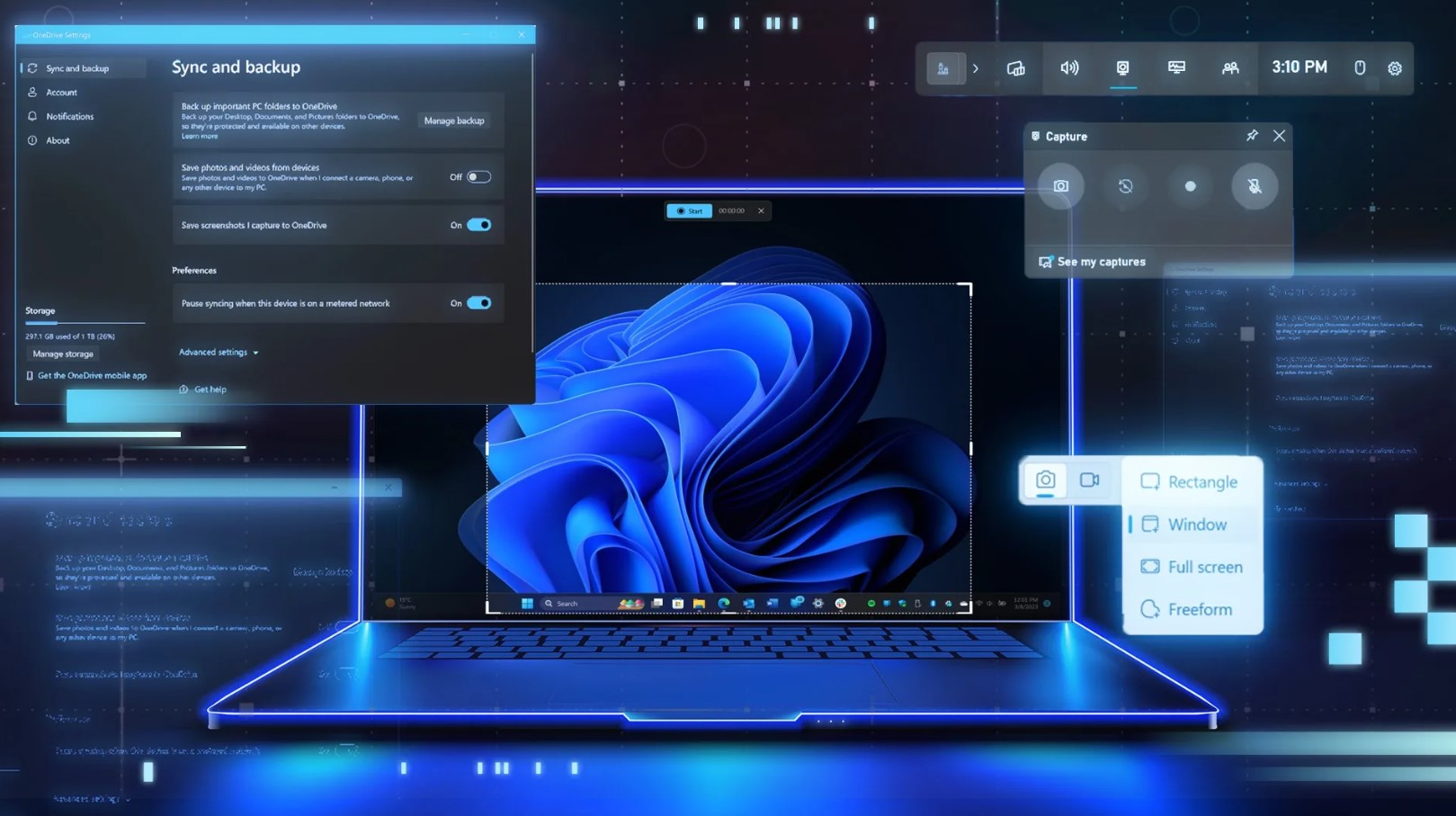
Microsoft is testing a new feature in Windows 11 that gives users more control over the Print Screen key. The feature appears as a new policy called “Make Print Screen key yieldable.”
This policy allows third-party apps to intercept the Print Screen shortcut. As a result, apps can replace the default screenshot behavior in Windows 11.
Normally, pressing the Print Screen (PrntScr) key opens the built-in screenshot tool, such as the Snipping Tool. However, this new policy lets other apps take control of that shortcut.
New Group Policy Lets Apps Override Print Screen
Many users capture screenshots with several shortcuts in Windows 11. Nevertheless, the Print Screen key remains the most popular option. The reason is simple: most keyboards include a dedicated PrntScr button.
Now, Microsoft plans to expand how that key works.
According to findings from Windows Latest and researcher Tero, Microsoft added a new Group Policy in recent preview builds.
You can find the policy in Build 26300 inside the Group Policy Editor:
Computer Configuration → Administrative Templates → Windows Components → File Explorer
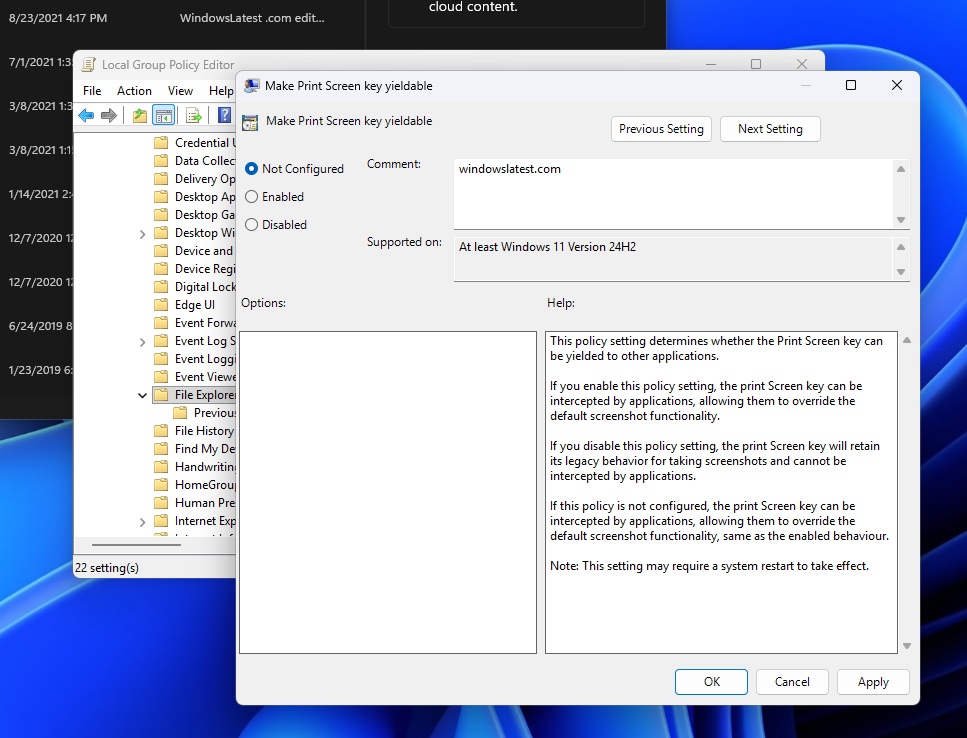
There you will see the policy named “Make Print Screen key yieldable.”
How the Policy Works
By default, Windows sets the policy to “Not Configured.” In this state, applications can intercept the Print Screen key if they support the feature.
Microsoft explains the behavior clearly:
“This policy setting determines whether the Print Screen key can be yielded to other applications.”
If you enable the policy, apps can override the default screenshot shortcut.
However, if you disable the policy, Windows keeps the classic screenshot behavior. In that case, apps cannot intercept the Print Screen key.
Therefore, users who prefer the traditional screenshot shortcut should set the policy to Disabled.
Restart Required After Changing the Policy
Testing shows that Windows requires a system reboot after changing the policy.
Without a restart, the new setting may not work correctly. Therefore, administrators should reboot the system after applying changes.
In practice, most apps will not randomly override the Print Screen key. However, if an app does take control, users can simply remove it. Alternatively, they can adjust the Group Policy setting.
Microsoft Has Modified the Print Screen Key Before
This is not the first time Microsoft has changed how the Print Screen key works.
In 2023, the company introduced a new setting that made Snipping Tool open automatically when pressing the Print Screen key.
Users could control the feature here:
Settings → Accessibility → Keyboard
At the time, Microsoft explained the change in a blog post:
“Pressing the Print Screen key will now open Snipping Tool by default.”
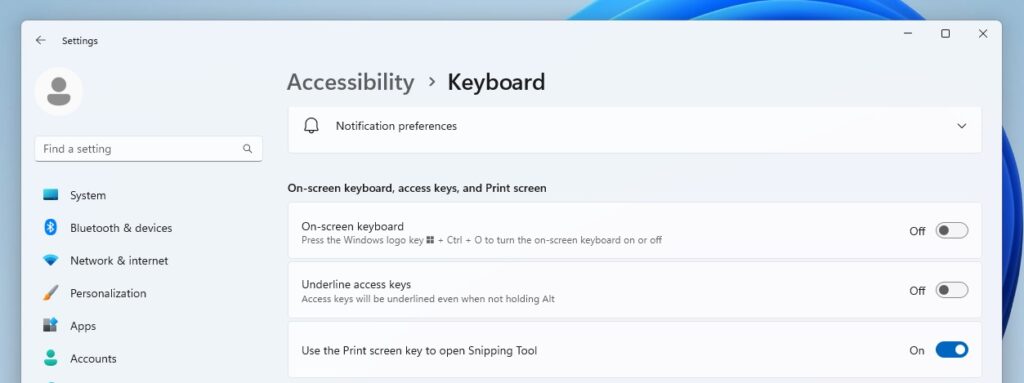
Users could still disable the feature in Accessibility settings if they preferred the traditional behavior.
Missing Print Screen Settings in New Windows Builds
However, newer versions of Windows 11 created some confusion.
For example, Windows 11 24H2 and upcoming 25H2 builds no longer show the Print Screen toggle in Accessibility settings.
When users open Settings → Accessibility → Keyboard, the option does not appear.
Meanwhile, Snipping Tool still directs users to that location to change the shortcut. As a result, users reach the correct menu but cannot find the setting.
New Policy Provides Better Control
Despite the missing toggle, the new Group Policy offers a stronger solution.
Administrators can now control how the Print Screen key behaves across systems. This approach also works well in organizations that use advanced screenshot tools.
For now, Microsoft is testing the feature in preview builds. Later, the company may roll it out to future Windows 11 updates.







