


The degree symbol (°) is commonly used when writing temperatures, angles, or measurements. While it may seem tricky at first, Microsoft Word offers several simple ways to insert this symbol quickly.
Below are the easiest and most reliable methods you can use.
1. Use the Keyboard Shortcut (Fastest Method)
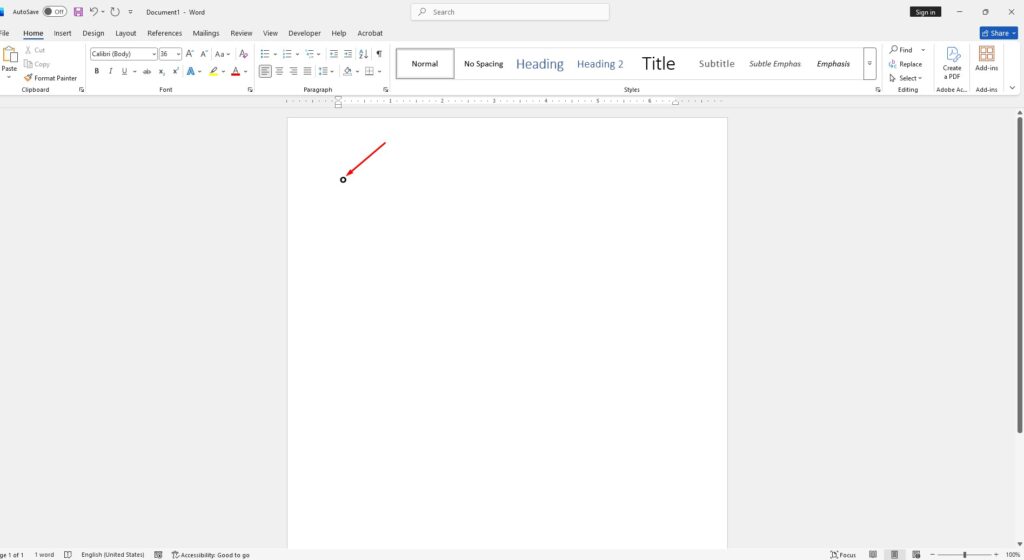
The quickest way to insert the degree symbol is by using a keyboard shortcut.
Steps:
- Place your cursor where you want the symbol.
- Hold the Alt key.
- Type 0176 on the numeric keypad.
- Release the Alt key.
The degree symbol will instantly appear.
Important: This method only works if your keyboard has a numeric keypad.
2. Insert the Degree Symbol from the Ribbon
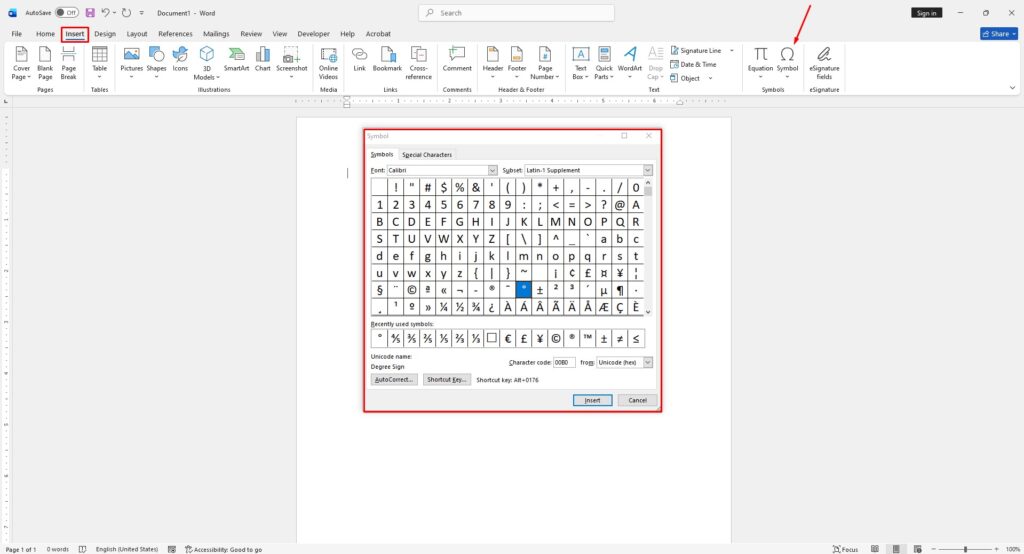
If you prefer using menus instead of shortcuts, Word includes a built-in symbol tool.
Steps:
- Click where you want the symbol.
- Go to the Insert tab.
- Click Symbol → More Symbols.
- Choose your font.
- Select Latin-1 Supplement from the subset list.
- Find and select the degree symbol (°).
- Click Insert.
After using it once, the symbol will appear in “Recently Used Symbols” for faster access next time.
3. Use a Built-in Word Shortcut (No Numpad Needed)
If your keyboard doesn’t have a numeric keypad, there’s another shortcut you can use:
Steps:
- Place the cursor where needed.
- Press Ctrl + Shift + 2
- Then press the Spacebar
This inserts the degree symbol without needing Alt codes.
4. Insert Using Windows Character Map
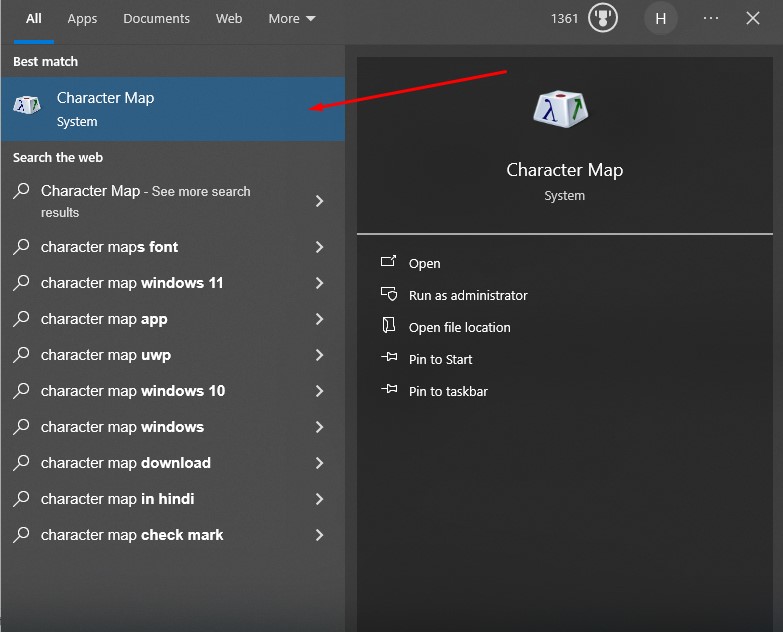
This method works in Word and any other program.
Steps:
- Open Character Map from the Windows search.
- Search for “degree”.
- Select the symbol and click Copy.
- Paste it into your document.
5. Use the Emoji & Symbol Panel (Windows 10/11)
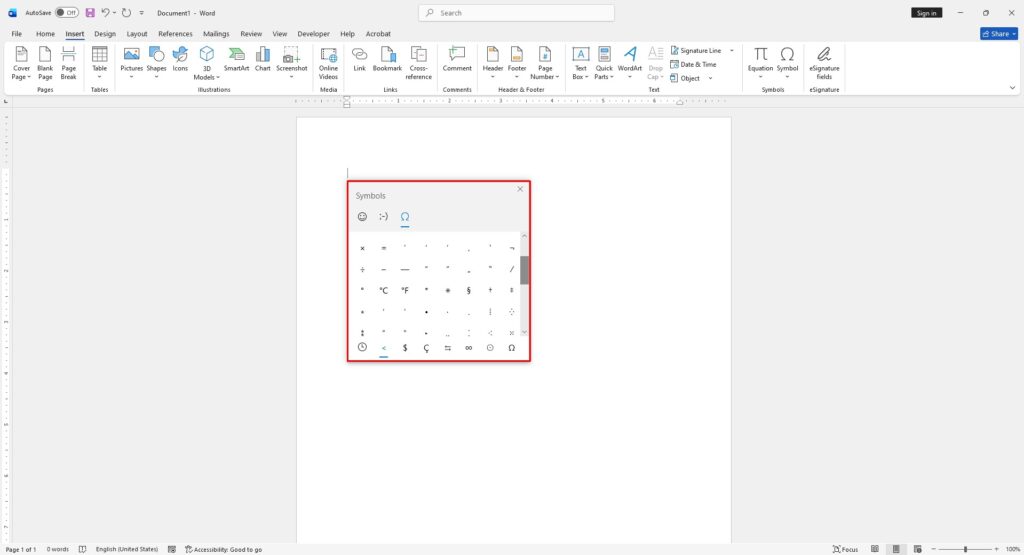
Windows also includes a quick symbol picker.
Steps:
- Press Windows + . (dot) on your keyboard.
- Open the symbols section.
- Find and click the degree symbol.
When Should You Use the Degree Symbol?
The degree symbol (°) is typically used for:
- Temperature (e.g., 25°C)
- Angles (e.g., 90°)
- Geographic coordinates
It represents measurements in degrees and appears as a small raised circle.







