


Microsoft is preparing a new Windows 11 update that focuses on speed, clarity, and ease of use. The main goal is to improve the Settings app based on user feedback and make everyday tasks simpler. These updates aim to refine the overall experience without changing how users already interact with the system.
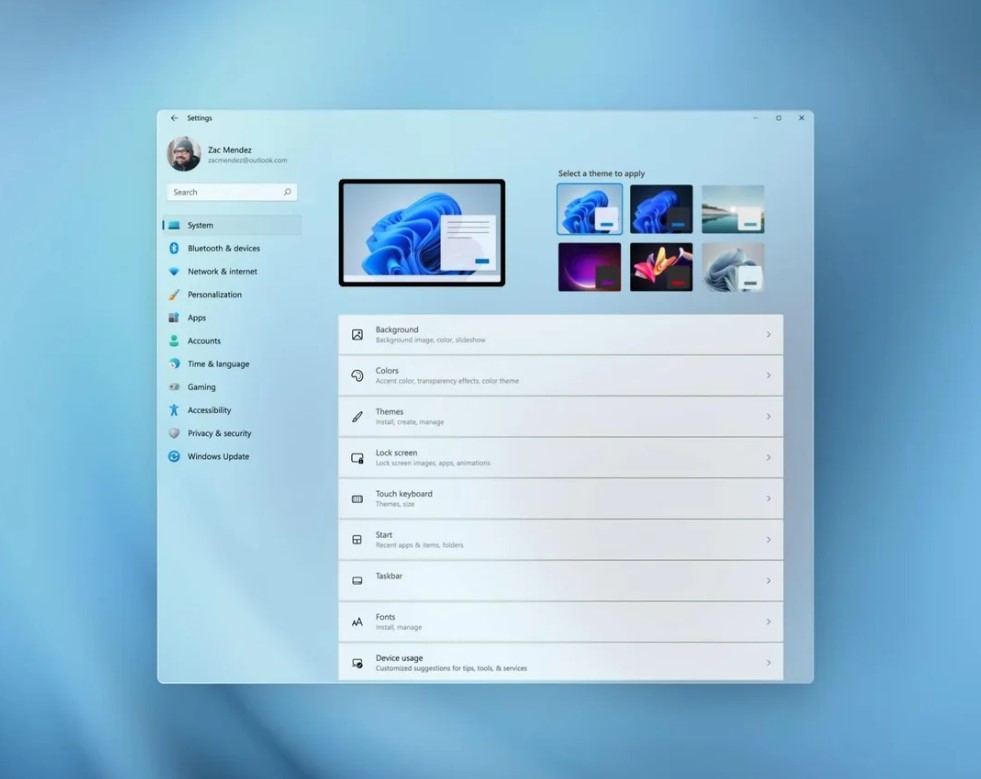
Simpler and Faster Settings App
The Settings app is getting a cleaner layout. It is easier to navigate and loads faster than before. Pages open more quickly, which helps users find options without waiting.
Key changes include:
• Faster loading on the Settings homepage
• Cleaner design for easier navigation
• Better layout for system options
• Improved responsiveness when switching sections
These updates are not drastic. They focus on making Windows 11 feel smoother and more consistent across all devices.
Improved Device Info Section
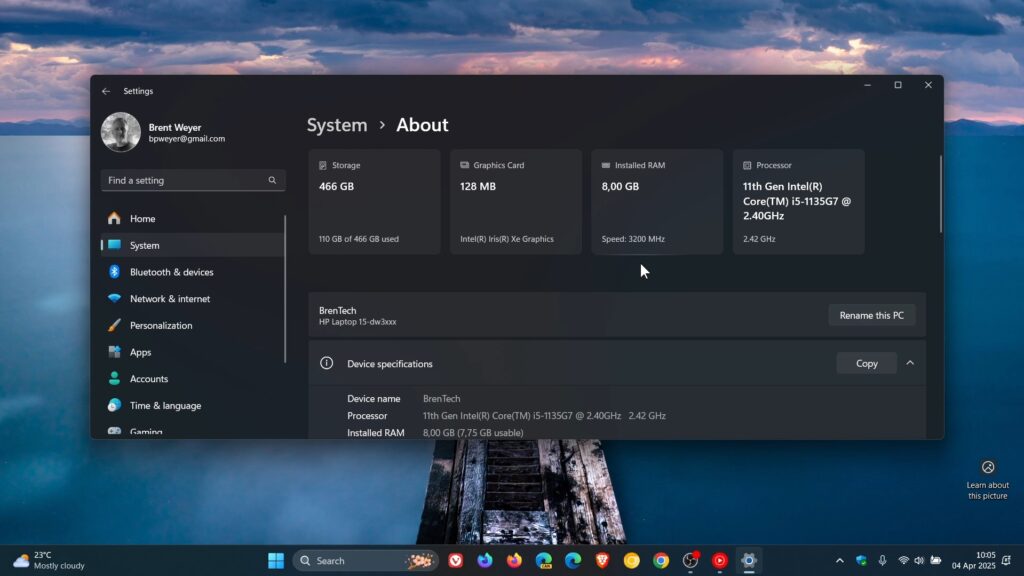
The Device info card is also getting useful updates:
• Moved to the top of the About page
• Shows GPU and storage details
• Displays key hardware info at a glance
• Reduces the need to open multiple menus
This helps users find important information faster. It is especially useful for checking system specs quickly.
More Changes Across Windows 11
Microsoft is also improving other parts of the system to create a better overall experience.
Better Dark Mode
• Account dialogs now look clearer in dark mode
• Text and buttons are easier to read
• Visual consistency is improved
Improved Narrator with Copilot
• Narrator will use Copilot for image descriptions
• Works on all Windows 11 devices
• No need for special AI hardware
• Helps users better understand visual content
Voice Typing in File Explorer
• Rename files and folders using voice
• Faster than manual typing
• Helpful for accessibility and ease of use
Moving Away from Control Panel
Microsoft is still moving features from Control Panel to Settings. This process takes time to avoid issues.
• Focus on keeping system stability
• Avoid breaking drivers or devices
• Careful transition of advanced settings
• Network settings are still being refined
Many users still rely on Control Panel, so changes are being made slowly and carefully.
Focus on User Feedback and Stability
This update shows a clear focus on real user needs. Instead of large experimental changes, Microsoft is improving what already exists.
• Changes based on user feedback
• Better speed and smoother performance
• Cleaner and more consistent design
• Improved accessibility features
Small improvements like these can have a big impact on daily use.
What This Means for Windows 11 Users
This update is designed to make Windows 11 easier and faster to use. It does not introduce major visual changes, but it improves how the system works in everyday situations.
Users can expect:
• Faster access to important settings
• Easier navigation across menus
• Better performance on all devices
• Improved accessibility tools
• More consistent user interface
Overall, Windows 11 continues to evolve with practical updates that focus on usability, performance, and stability.







