


The April update for Windows 11 does not introduce major new features, but it delivers a set of practical improvements that enhance everyday use. Several of these changes address long-standing user requests dating back to Windows 10.
Voice Control Comes to File Explorer
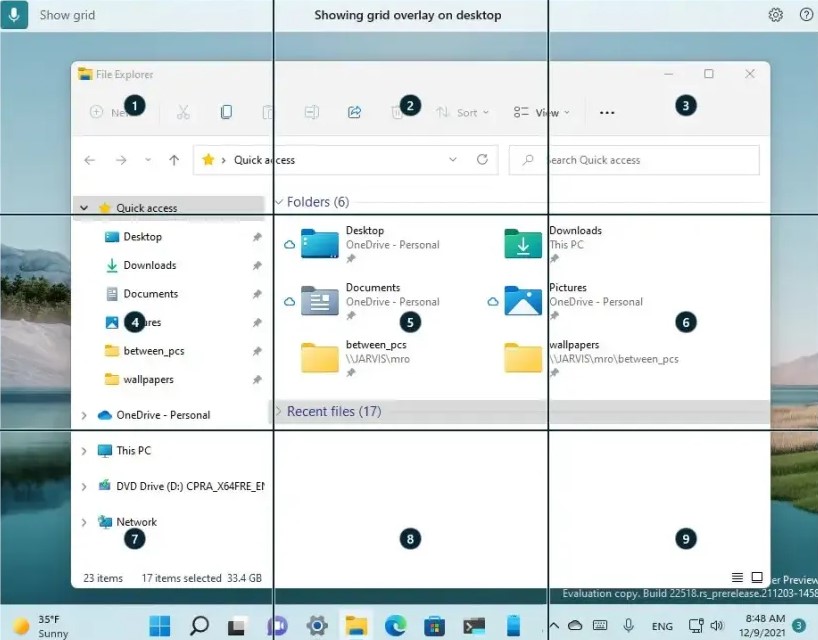
One of the most notable updates to File Explorer is the addition of voice-based renaming. By pressing Windows + H, users can dictate a new file or folder name, which is automatically transcribed.
This is a meaningful accessibility improvement, especially for users who rely on voice input. At the same time, it moves Windows closer to a fully voice-controlled experience, reducing the need for traditional input devices.
Easier Management of Downloaded Files
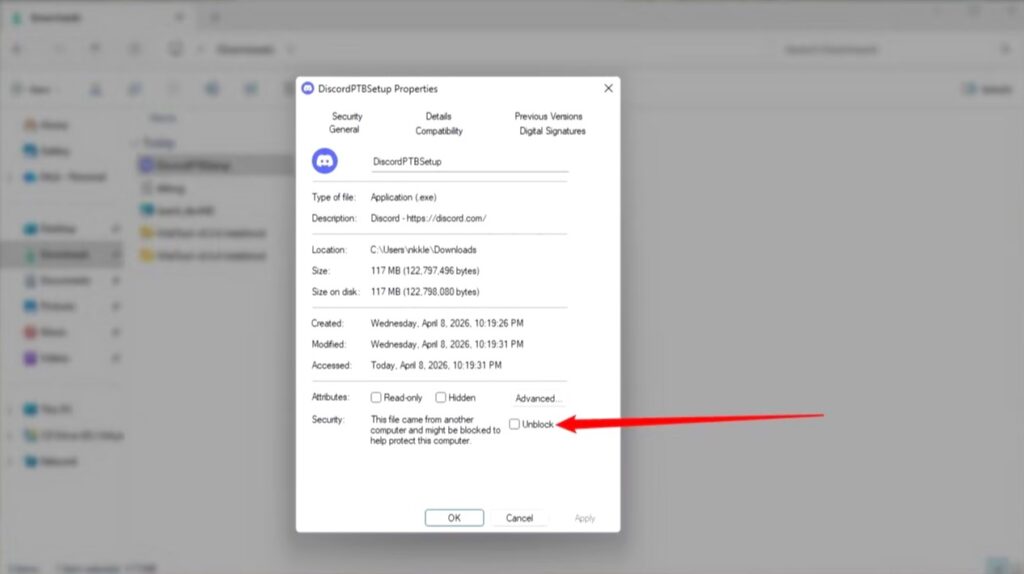
Windows continues to flag files downloaded from the internet as potentially unsafe. In certain environments, this can make it difficult to open or preview files without adjusting system-wide security settings.
With the April update, the Unblock option becomes more reliable as a one-time exception. Users can now access specific files without triggering repeated security warnings. When applied, the system removes the “Zone Identifier” tag that marks the file as originating from the internet.
Narrator Gains Image Description Capabilities
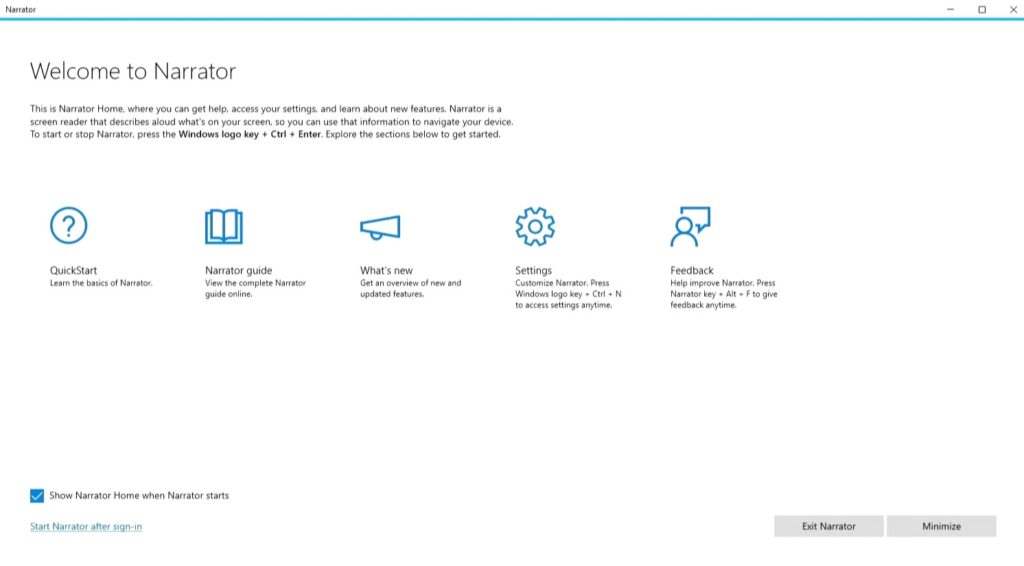
The built-in Narrator tool receives a significant upgrade through integration with Microsoft Copilot. Previously limited to Copilot+ PCs with dedicated hardware, image description is now more widely available.
Users can generate descriptions of images or screen content and request more detailed information when needed. In testing, the feature proved accurate and capable of identifying when requested details were not present.
- Analyze full screen: Narrator Key + Ctrl + S
- Analyze selected area: Narrator Key + Ctrl + D
More Informative Settings App
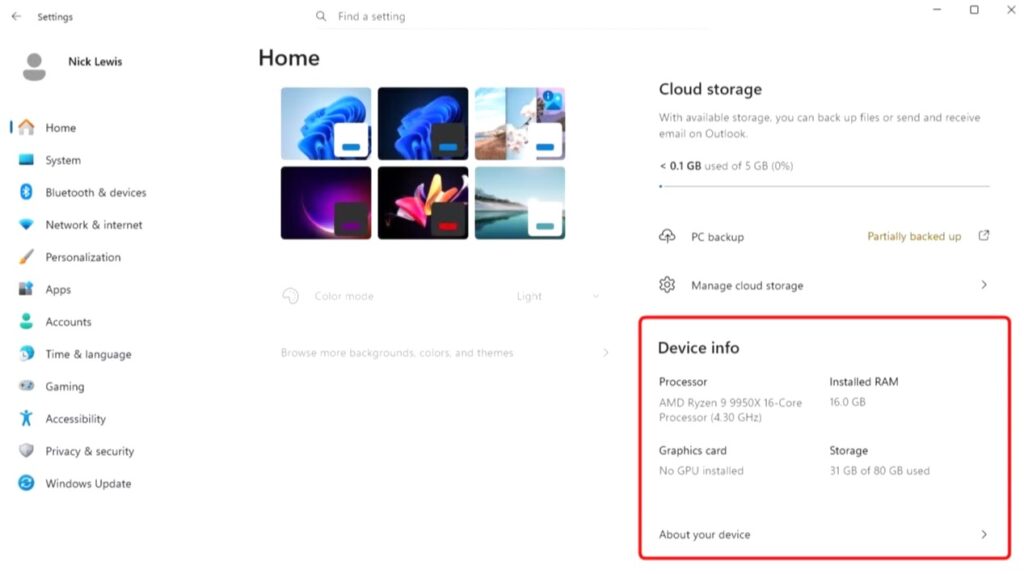
The Settings app is also becoming more useful at a glance. The Home page will now display a quick hardware summary, eliminating the need to navigate deeper into system menus.
Additionally, the About section has been refined. Previously inconsistent, it will now present unified device information, including GPU and storage details. This makes it easier to review or share system specifications quickly.
Smart App Control Becomes Flexible
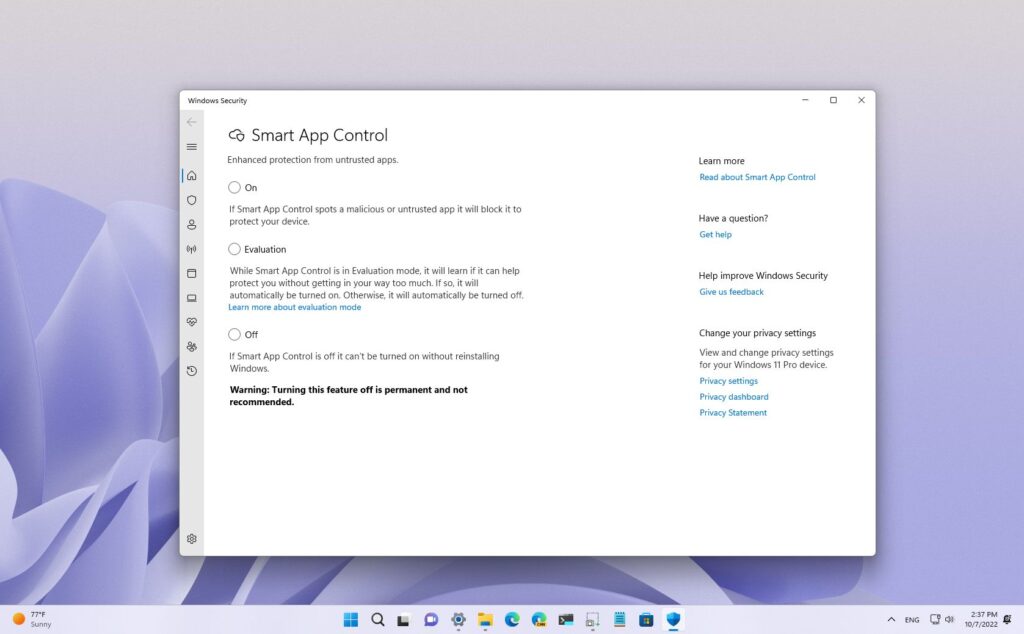
Smart App Control, a security feature designed to block potentially harmful applications, is now easier to manage. In earlier versions, enabling or disabling it required a full system reinstall.
With the April update, users can toggle Smart App Control directly from Windows Security:
Settings > Windows Security > App & Browser Control > Smart App Control
This change removes unnecessary friction and gives users more control over how their system handles unfamiliar applications.







